Live availability & on-page booking
An overlay booking flow for rental sites: a date & time gate that captures the event up front, branded inventory browsing, and a streamlined quote — sitting right on top of your existing booking platform.
Billed monthly · cancel anytime
Every screenshot below is real — captured from a live site running BookFlow — Live Availability & On-Page Booking.
Live in three steps.
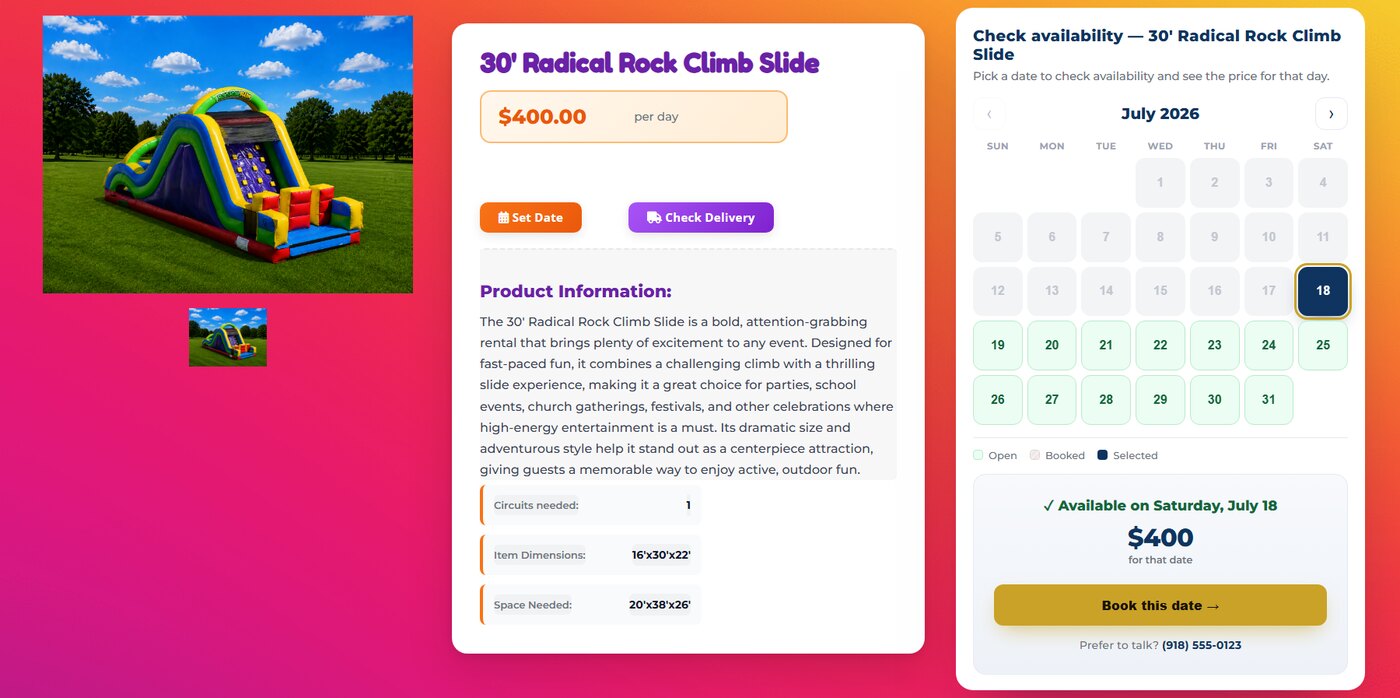
A live availability calendar, right on the item.
Every rental page gets an on-page month calendar beside the item — open dates, booked dates greyed out, and the real price for that day pulled live from your platform. Pick a date and it carries straight into the cart, so it’s never re-entered.
- On-page calendar on every listing
- Live availability & date-specific pricing
- The picked date carries into the cart
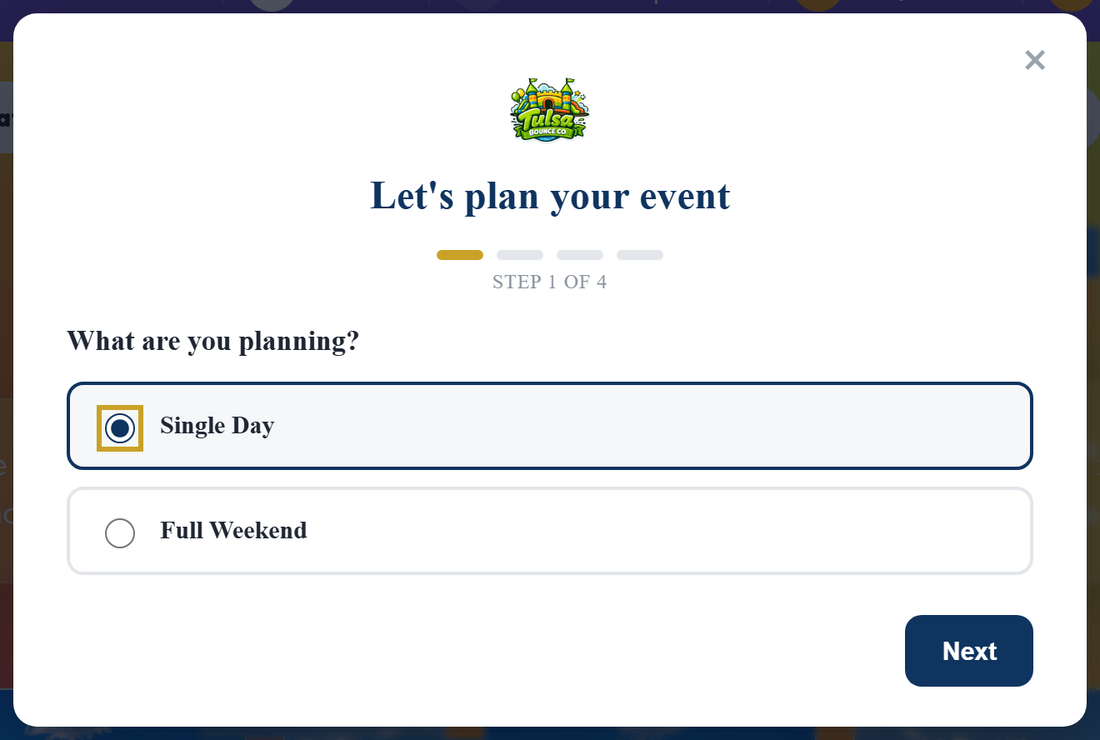
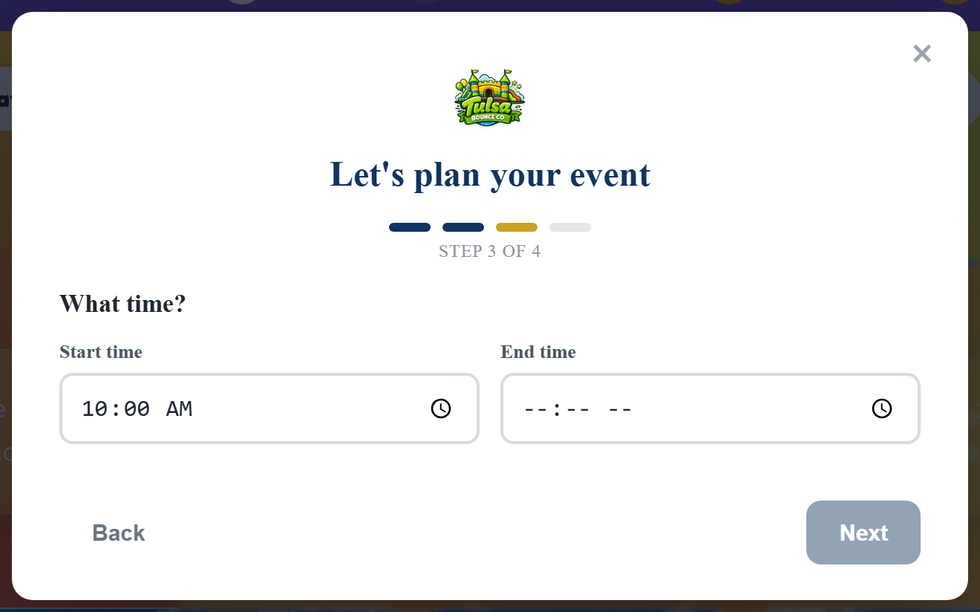
Capture the event before they ever browse.
A friendly, on-brand gate asks what they’re planning, when, and for how long — then checks availability against your platform. You get qualified visitors and a captured date instead of anonymous browsers.
- Event type, date & time captured up front
- Live availability against your booking platform
- One toggle: require a date, or let them browse
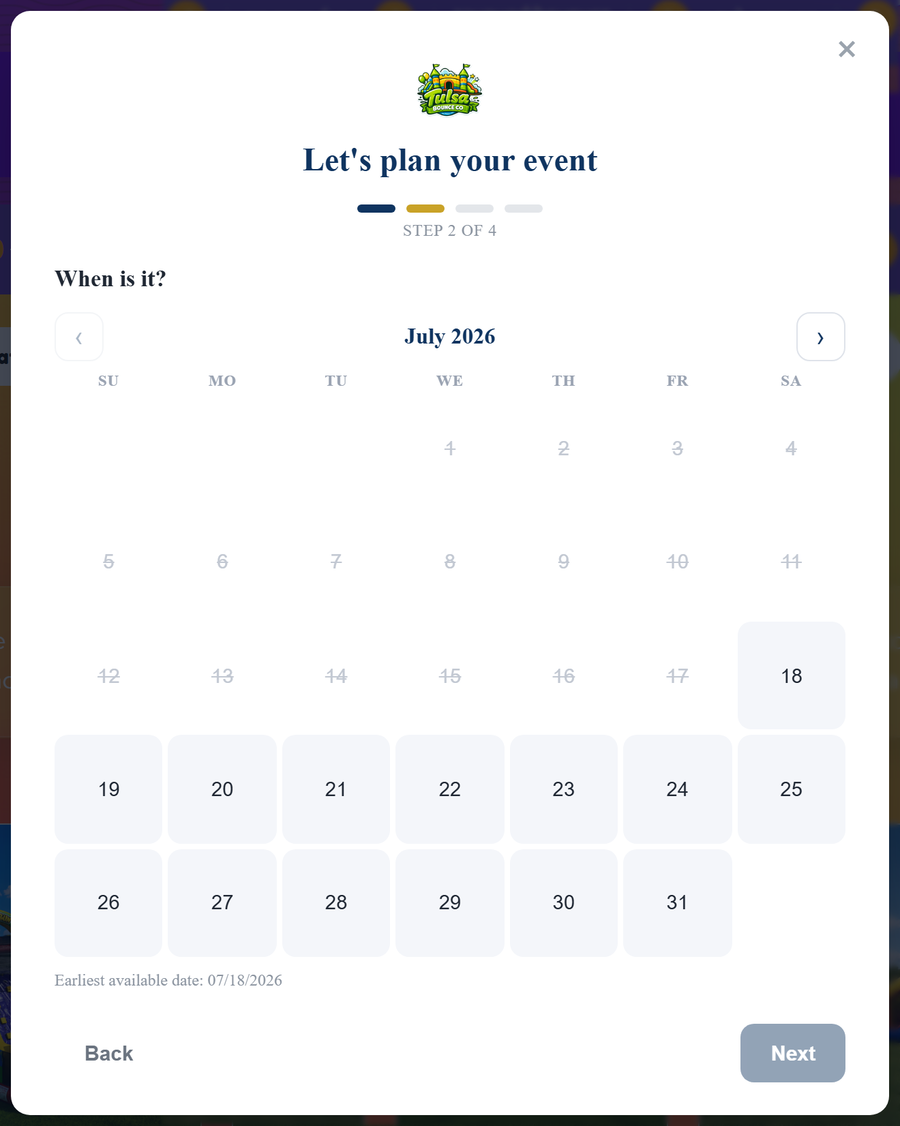
A visual calendar with your lead time and live availability baked in.
Step through a proper month calendar and time picker — past dates and anything inside your minimum lead time are greyed out automatically, and booked dates can be pulled live from your platform.
- Month calendar with smart date blocking
- Enforces your minimum lead time
- Optional live availability per item
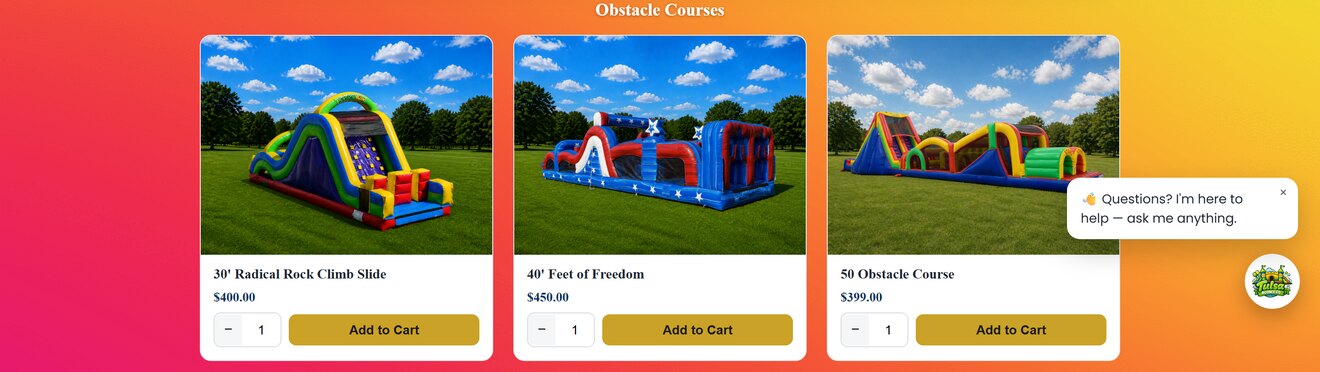
Beautiful inventory cards on top of your existing catalog.
BookFlow replaces the stock inventory grid with clean, branded cards — real photos, clear pricing and add-to-cart — while quietly using your booking platform’s same backend, so nothing about your operations changes.
- Branded cards with photos & pricing
- Add-to-cart wired to your real backend
- No migration — it overlays what you already run
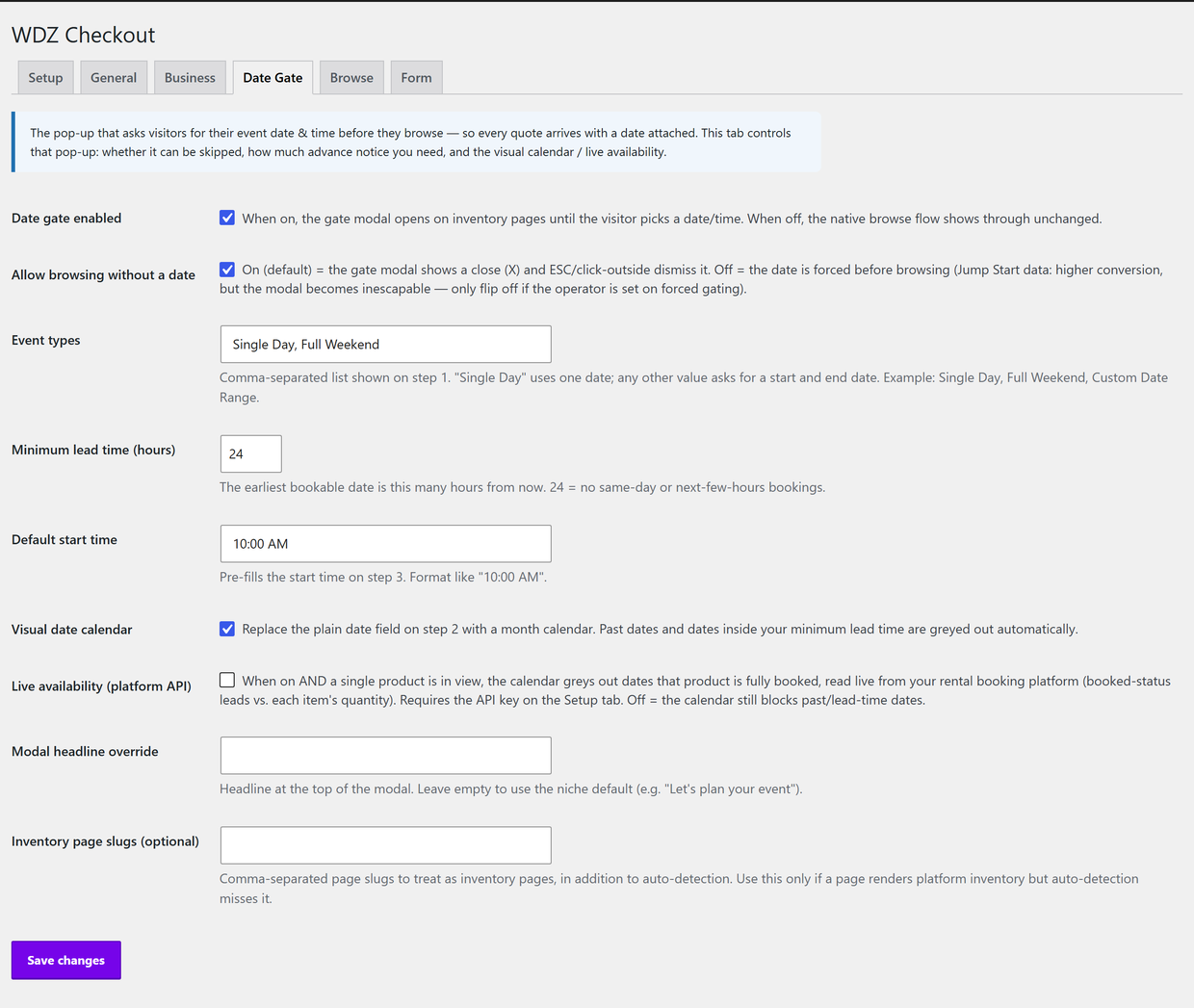
Tune every part of the flow from one clean settings panel.
One clean toggle — “Require date before browsing?” — decides whether the pop-up auto-opens or visitors browse freely (“Book Now” always opens it). Set your event types and lead time, choose the calendar and live-availability behaviour, and pick the style — all without touching code.
- One “Require date before browsing?” toggle
- Set event types, lead time & default time
- Choose the gate style & availability source
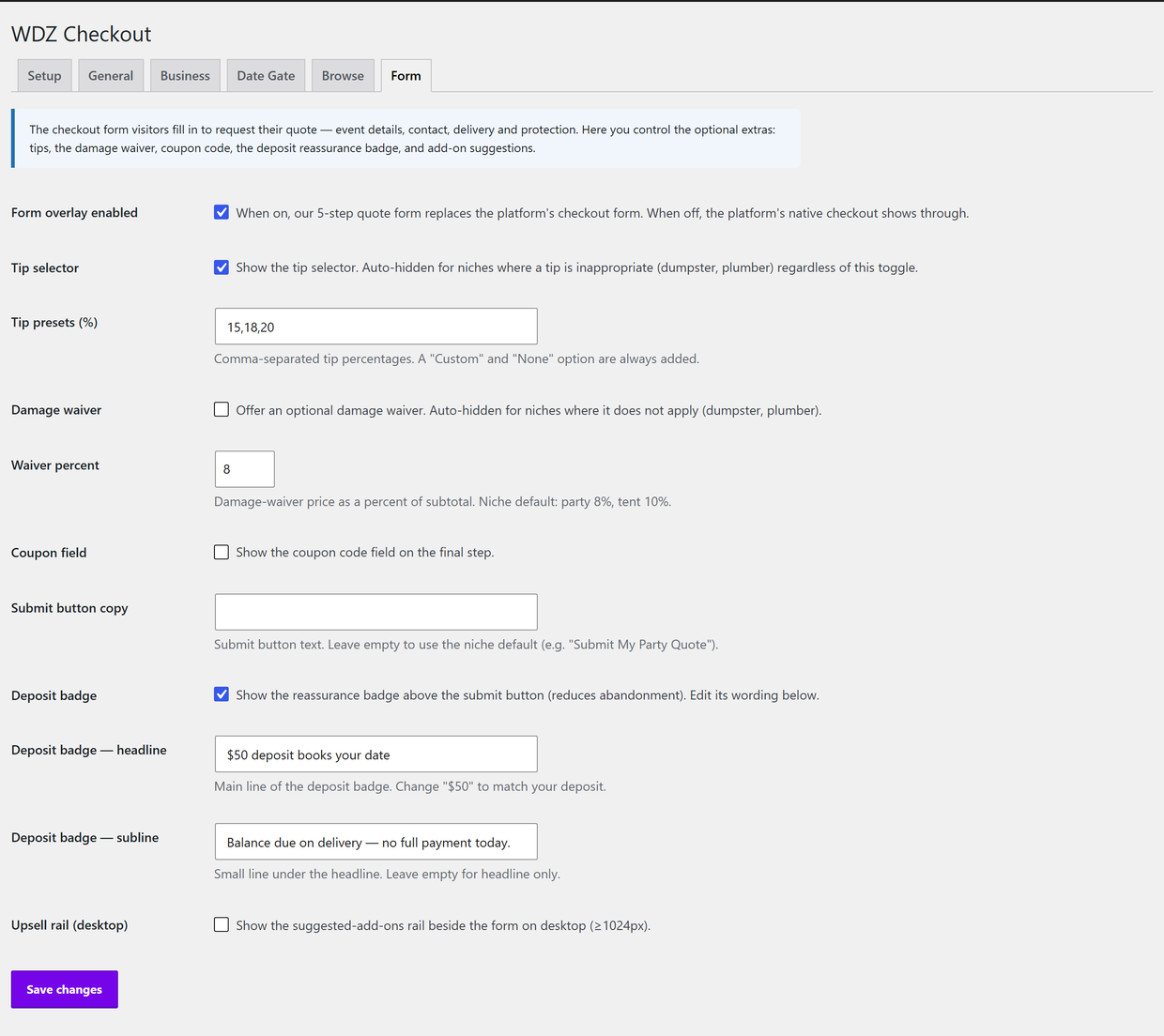
See more of what it does.
Real screens from a rental site running BookFlow.
- The date-&-time gate overlay for rental sites
- The on-page item availability calendar
- Branded inventory browsing + streamlined quote form
- Four gate styles + full settings panel
- Install, standard settings & the date toggle
- Updates & break-fix support, cancel anytime
- WordPress 5.0+ and PHP 7.2+
- A rental site on a supported booking platform (built for InflatableOffice)
- Your platform API key for live availability (optional)
- No migration — it overlays what you already run
Built for businesses like yours.
Everything that makes it worth it.
Good to know.
What does it sit on?
Will it disrupt my current setup?
Can I force visitors to pick a date?
Does the calendar show real availability?
Can I match my brand?
How is it billed, and what’s included?
What about custom features?
Ready to put BookFlow — Live Availability & On-Page Booking to work?
An overlay booking flow for rental sites: a date & time gate that captures the event up front, branded inventory browsing, and a streamlined quote — sitting right on top of your existing booking platform.